
M48500N1 Equipment information & support
The Huawei M48500N1 is a carrier-grade high-frequency switched-mode telecom rectifier module designed to convert single-phase AC utility power (85V AC to 300V AC) into a highly stabilized -48V DC nominal output (adjustable from 42V to 58V DC, default 53.5V DC), delivering 3000W maximum rated power at up to 50A with a peak conversion efficiency of ≥95.0%.
Equipment information
- Brand
- Huawei
- Equipment model
- M48500N1
- Equipment type
- DC Power Systems (-48V)
- Controller / software version
- Confirm against the installed equipment
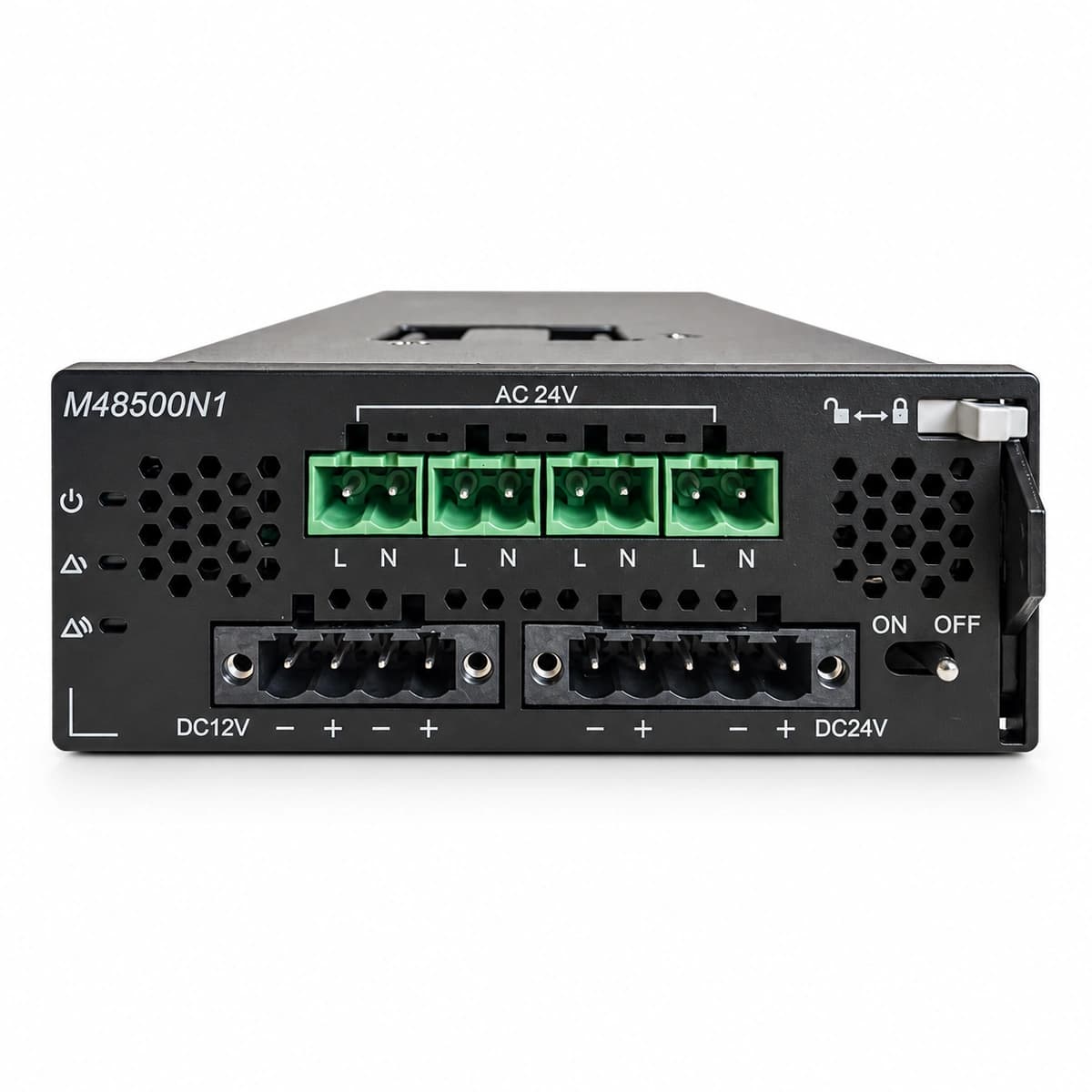
Information below comes from the current product catalogue. Confirm the controller, software version and configuration of the installed equipment separately.
- Rated Output Voltage
- -48VDC (-42V ~ -58V)
- Rated Output Power
- 3000W
- AC Input Voltage
- 85V AC ~ 300V AC
- Maximum Output Current
- 50A
- Maximum Efficiency
- ≥ 95.0%
- Operating Temperature Range
- -40°C ~ +75°C
Alarms & troubleshooting
Access Complete Maintenance & Full Alarm Troubleshooting Manual
This page lists high-frequency critical alarm codes commonly encountered in field maintenance. Comprehensive manufacturer troubleshooting matrices, board-level repair guides, detailed electrical schematics, and firmware commissioning manuals are delivered alongside equipment upon formal project procurement, accompanied by dedicated FAE technical support.
Share on-site information
- 01
Identify the exact model
Record the nameplate, system model and controller or module model.
- 02
Keep the alarm details
Record the full alarm text, indicator colour, timing and whether it persists.
- 03
Describe recent changes
Note recent replacements, software updates or configuration changes.
Record information visible in the existing interface. Electrical measurements, disassembly and replacement should follow the applicable manufacturer's manual and be performed by qualified personnel.
Related technical articles
Browse the technical guides or send a question about this model.
View all articlesNeed a replacement module or supporting equipment?
Confirm the full model, system configuration and compatibility requirements before enquiring about suitable products.
Have a model and an on-site issue?
Share the exact model, alarm text and observed symptoms to help identify relevant information and compatibility requirements.