DC_VOLT_LOW
Red Alarm LED solid on controller, audible buzzer active
Prolonged commercial AC outage depleting batteries; total rectifier cluster shutdown; or massive DC overload dropping bus voltage below 45.0V.
1. Dispatch or start onsite standby diesel generator immediately to restore AC input; 2. Once AC is restored, verify rectifiers auto-restart and current recovers; 3. Inspect DC branches for short-circuit faults and isolate non-essential loads; 4. Monitor battery voltage closely; if dropping toward 43.2V, prepare for imminent BLVD disconnect.
AC_MAINS_FAIL
Yellow Warning LED flashing on controller, battery discharge active
Commercial utility power blackout, upstream AC breaker tripped, phase loss on AC feeders, or input mains dropped below 85VAC cutoff limit.
1. Use a true-RMS multimeter to verify phase-to-phase and phase-to-neutral voltages at the AC terminals; 2. Check upstream distribution panel breakers and surge protection circuit breakers; 3. Consult utility provider for restoration ETA and calculate remaining battery reserve time; 4. Inspect neutral-to-earth bonding and ensure terminal screws are torqued properly.
RECT_COMM_FAIL
Yellow Warning LED on controller, affected rectifier yellow LED flashes slowly
Dislodged CAN communication cable; degraded or oxidized contact pins on rectifier subrack backplane; faulty internal CAN transceiver IC; or module slot ID assignment conflict.
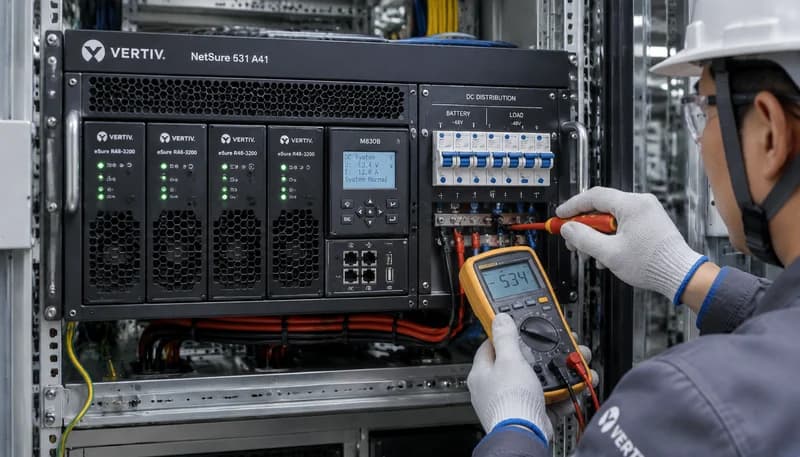
1. Reseat the affected rectifier module firmly into the slot and secure its front locking latch; 2. Inspect the CAN ribbon cable connecting the subrack backplane to the M830B controller; 3. Execute a module re-scan and address auto-learn procedure via M830B menu; 4. Swap the rectifier into a known good slot; if the alarm follows the module, replace the rectifier unit.
RECT_FAULT
Red Fault LED solid on rectifier module, controller logs rectifier hardware alarm
Internal power stage failure (shorted PFC/LLC MOSFETs); output overvoltage latch-off; critical internal over-temperature shutdown; or completely blocked/failed cooling fan.
1. Inspect module air intake and rear exhaust for debris or dust blockages; verify fan spins freely without obstruction; 2. Hot-unplug the module for 3 minutes to allow DC-bus discharge and reset transient overvoltage latches, then reinsert; 3. Verify input AC and bus DC voltages at the backplane; 4. If the red LED illuminates immediately with zero current output upon re-insertion, the module is defective and must be swapped.
BATT_TEMP_PROBE_FAIL
Yellow Warning LED solid on controller, LCD displays temperature probe open/short
Severed or pinched temperature sensor cabling; disconnected terminal block at the M830B analog input interface; or physical drift/failure of the internal NTC/PTC thermistor.
1. Inspect the physical sensor lug affixed to the battery string to ensure it has not detached; 2. Trace cabling along the battery rack to find pinches, tears, or rodent damage; 3. Disconnect probe from controller and measure resistance with a multimeter (standard 10kΩ NTC typically reads ~10kΩ at 25°C); replace if reading infinite ohms; 4. Re-tighten screw terminals on the M830B interface card and test temperature reading on screen.