ZTE / DC Power Systems (-48V)

ZTE ZXD1500 (V5.0) R03 Equipment information & support

The ZTE ZXD1500 (V5.0) R03 is an industrial-grade telecom power or datacenter infrastructure module engineered for maximum uptime, high energy efficiency, and mission-critical reliability.

Equipment information

Brand
ZTE
Equipment model
ZTE ZXD1500 (V5.0) R03
Equipment type
DC Power Systems (-48V)
Controller / software version
Confirm against the installed equipment
View full product specifications
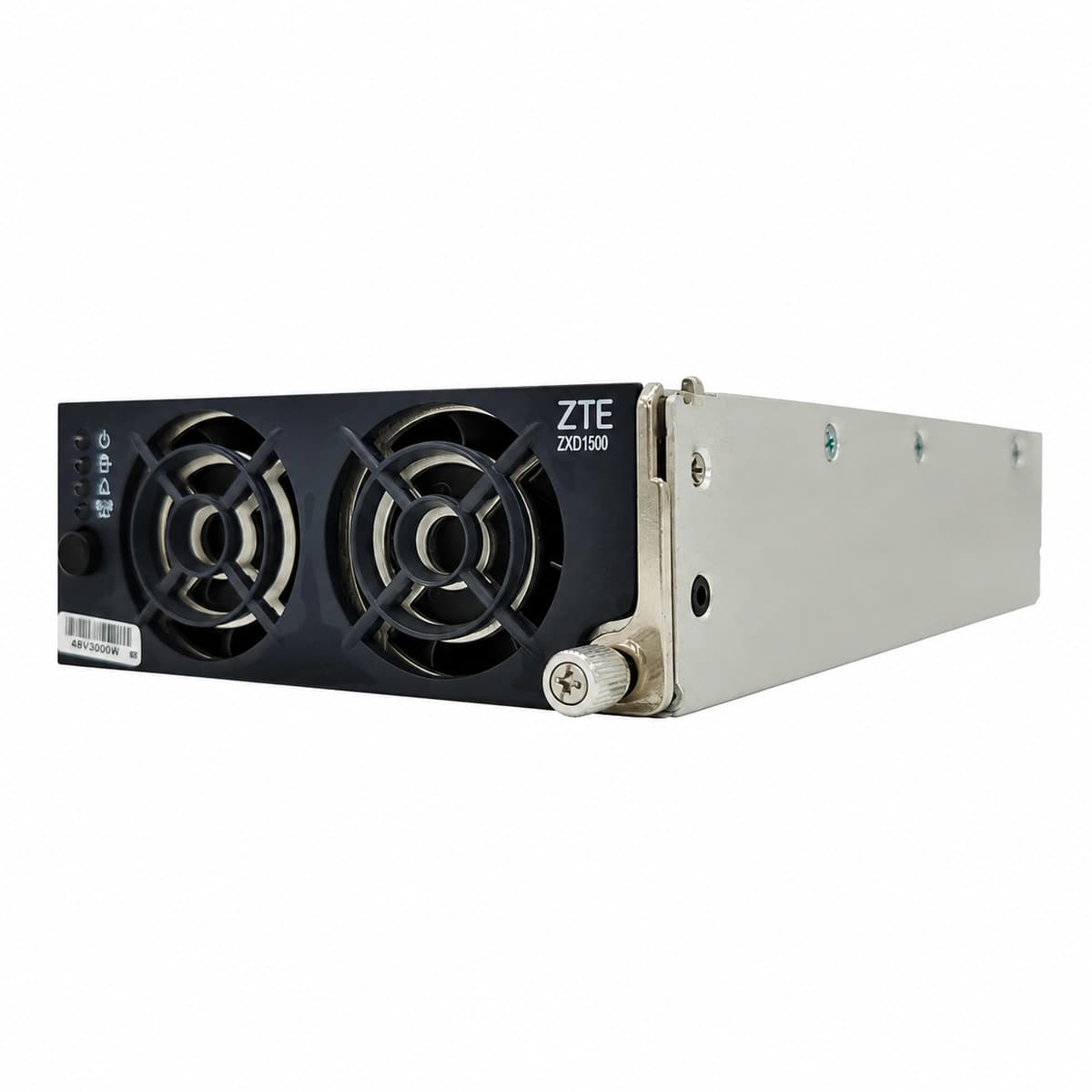
ZTE ZTE ZXD1500 (V5.0) R03 Official Clean White Photo View 1

Information below comes from the current product catalogue. Confirm the controller, software version and configuration of the installed equipment separately.

Rated System Output / Load Capacity
Cooling & Thermal Management
Physical Dimensions & Mounting Format
134 × 87 × 290 mm
Operating Input Voltage Range
DC Voltage Adjustment
-48VDC (-42V ~ -58V)
Core Power Topology & Conversion Unit

Alarms & troubleshooting

AC_IN_FAIL / VOLT_ABNORMAL
Input Amber LED blinking, module in standby protection mode
Utility input voltage outside operating limits (<85VAC or >300VAC) or internal input fuse open
1. Measure AC line-to-neutral voltage at the module slot with a multimeter;\n2. Inspect corresponding subrack AC input circuit breaker status;\n3. If grid voltage is normal, extract module and examine rear gold-finger pins;\n4. Reseat into an adjacent empty slot to rule out backplane connector faults.
DC_OV_SHUTDOWN / LOCKOUT
Alarm Red LED solid, module output locked out with 0V DC
Internal voltage feedback loop fault caused output to exceed HW threshold (>59.5V), or external bus backfeed
1. Measure actual DC bus voltage to ensure no external overcharging backfeed;\n2. Open AC supply breaker and allow 60 seconds for internal capacitors to discharge;\n3. Power-cycle module; if red lockout recurs immediately, replace rectifier unit.
FAN_FAIL / OVER_TEMP
Temperature Amber LED solid, cooling fan halted or output power derated
Air filter clogged with dust, cooling fan bearing seized, or ambient temperature exceeds +75°C
1. Clear accumulated dust and debris from front ventilation slots and mesh;\n2. Inspect fan blades for mechanical obstruction and verify spin-up on boot;\n3. Check cabinet ventilation airflow and ambient air-conditioning operation;\n4. If fan remains stalled, replace with genuine speed-regulated brushless DC fan.

Access Complete Maintenance & Full Alarm Troubleshooting Manual

This page lists high-frequency critical alarm codes commonly encountered in field maintenance. Comprehensive manufacturer troubleshooting matrices, board-level repair guides, detailed electrical schematics, and firmware commissioning manuals are delivered alongside equipment upon formal project procurement, accompanied by dedicated FAE technical support.

Share on-site information

  1. 01

    Identify the exact model

    Record the nameplate, system model and controller or module model.

  2. 02

    Keep the alarm details

    Record the full alarm text, indicator colour, timing and whether it persists.

  3. 03

    Describe recent changes

    Note recent replacements, software updates or configuration changes.

Record information visible in the existing interface. Electrical measurements, disassembly and replacement should follow the applicable manufacturer's manual and be performed by qualified personnel.

Your model and these details will be added to the enquiry form for you to review before sending.

Related technical articles

View all articles

Need a replacement module or supporting equipment?

Confirm the full model, system configuration and compatibility requirements before enquiring about suitable products.

Ask about suitable products

Have a model and an on-site issue?

Share the exact model, alarm text and observed symptoms to help identify relevant information and compatibility requirements.

Request technical support